One thing before anything else: when the game loads, click once inside the game screen. The browser needs that click to send your key presses to the game. If your arrow keys scroll the page instead of moving your batsman, this is why.
Quick Reference Table
| Action | Key |
|---|---|
| Move through menus | Arrow keys |
| Select in menus | S |
| Go back in menus | W |
| Front foot stroke | ↑ + ← or → |
| Back foot stroke | ↓ + ← or → |
| Lofted shot / power shot | Shift + Arrow |
| Advance down the pitch | D or W |
| Defensive push or leave | Arrow (no Shift) |
| Move the bowling pitch marker | Arrow keys |
| Standard delivery | S |
| Swing, seam or cutter | D or A |
| Delivery meter timing | Space / action key |
| Change field preset | 1 to 9 |
| Take a run / call a single | D or Space |
| Cancel a run | S |
| Throw to keeper's end | D |
| Throw to bowler's end | S |
| Slide or dive into the crease | W |
| Save type | Shift + Space |
| Name a save | Enter |
| Delete a save | D |
Bookmark this table. Everything below explains when and how to use each key.
Menu Controls
The menus do not respond to mouse clicks the way a normal website does. Use the arrow keys to move between options, press S to confirm and W to step back. The same keys handle the toss, team selection and match setup screens.
On the Team Select screen, remember that the left and right arrows move your P1 keyboard icon onto a team. Continue stays greyed out until you do this. Our How to Play guide covers that screen in detail.
Batting Controls
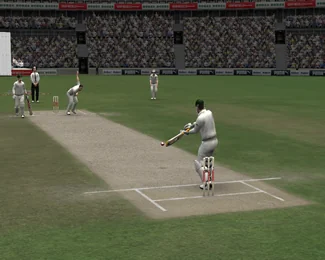
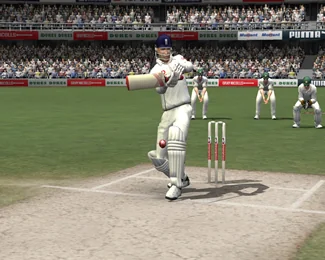
Batting in Cricket 07 uses the Century Stick system. The arrow keys set the direction of your shot, and the modifier decides the type of stroke.
| Stroke | Keys | When to use it |
|---|---|---|
| Front foot stroke | ↑ + ← or → | Full deliveries, drives through the covers or mid-on |
| Back foot stroke | ↓ + ← or → | Short balls, cuts and pulls |
| Lofted shot | Shift + Arrow | Going for a six, only when the field is up or the ball is in your zone |
| Defensive push or leave | Arrow without Shift | Good deliveries early in your innings |
| Advance down the pitch | D or W before the ball | Against spinners, to turn a good ball into a hittable one |
Timing and placement tips
- The pitch marker shows the line and length before the bowler releases. Decide front foot or back foot from the marker, not from the ball in the air. Full marker means front foot, short marker means back foot.
- Direction matters as much as timing. A perfectly timed drive straight to a fielder scores nothing. Check the field between balls and aim your arrow inputs at the gaps.
- Lofted shots carry the highest risk. Early in an innings, stick to ground strokes and singles. Bring out Shift + Arrow once you have read the bowling.
- Against pace, play late. Against spin, either come forward with D or W or go right back in the crease.
Bowling Controls
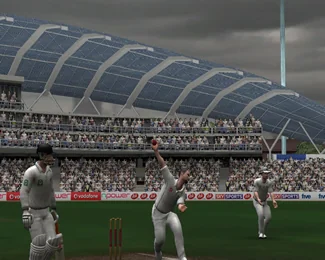
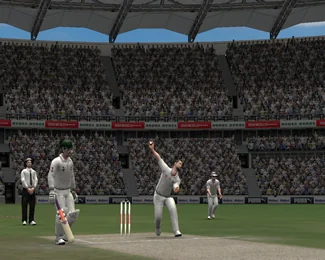
Bowling happens in two stages: set up the delivery, then execute it.
- Place the pitch marker with the arrow keys. This is your line and length.
- Pick the delivery type. Press S for a standard delivery at normal pace, or D / A for the variation keys that handle swing, seam and cutters for pace bowlers, and spin variations for slow bowlers. The variations available depend on the bowler you have selected.
- Time the delivery meter with Space or the action key. Good timing lands the ball where your marker is. Poor timing sprays it.
Field presets
Press the number keys 1 to 9 to switch between field presets without opening a menu. Use an attacking field with slips when the ball is new, spread the field when the batsman is set, and bring the boundary riders in for the last overs of a chase.
Bowling tips
- Do not bowl the same ball twice in a row. The CPU punishes predictable lines. Mix your lengths, switch between S and the variation keys, and move the marker between deliveries.
- Yorkers (a very full marker, right at the base of the stumps) are the safest ball at the death.
- Set the field for the ball you are about to bowl. Bowling short with no one on the leg side boundary is giving away four runs.
Running and Fielding Controls
| Action | Key |
|---|---|
| Take a run / call a single | D or Space |
| Cancel the run and turn back | S |
| Slide or dive into the crease | W |
| Throw to the keeper's end | D |
| Throw to the bowler's end | S |
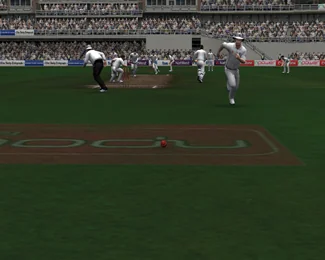
Call the run with D the moment the ball passes the infield, and cancel with S early if a fielder gets to it quickly. A late cancel runs both batsmen into the middle of the pitch, and that usually ends in a run out. The dive on W can save you on a tight second run, but good judgement beats a good dive every time.
When fielding, throw to the end where the batsman has further to go. If both are safe, throw to the keeper with D to stop the batsmen stealing an extra run on a loose return.
Save Controls
The browser version supports the game's save interface with these shortcuts:
- Save type: Shift + Space
- Name a save: Enter
- Delete a save: D
Be careful with D on the save screen, since it deletes the selected save. Read the on-screen instructions before pressing it. Note that on name-entry screens the letter keys type letters, so A, S, D and W behave as text input there rather than as game actions.
Save before closing the tab if you are in the middle of a tournament. Your progress lives in this browser on this device.
Can I Use a Controller?
Cricket 07 was designed around the keyboard, and the keyboard is the setup we recommend for the browser version. If you have a controller connected, you can try it: press a button so the browser detects it, click the game screen, and check the control settings inside the game. Support varies by controller model, so keep the keyboard as your fallback.
Keys Not Working?
Three fixes solve almost every control problem:
- Click inside the game screen to give it keyboard focus.
- Check that another window or browser extension is not capturing your key presses.
- If the whole game is frozen rather than just the keys, go through the Troubleshooting Guide.
Ready to put the controls to work? Play Cricket 07 now or start with a short practice match using our How to Play guide.